Updated: September 2026
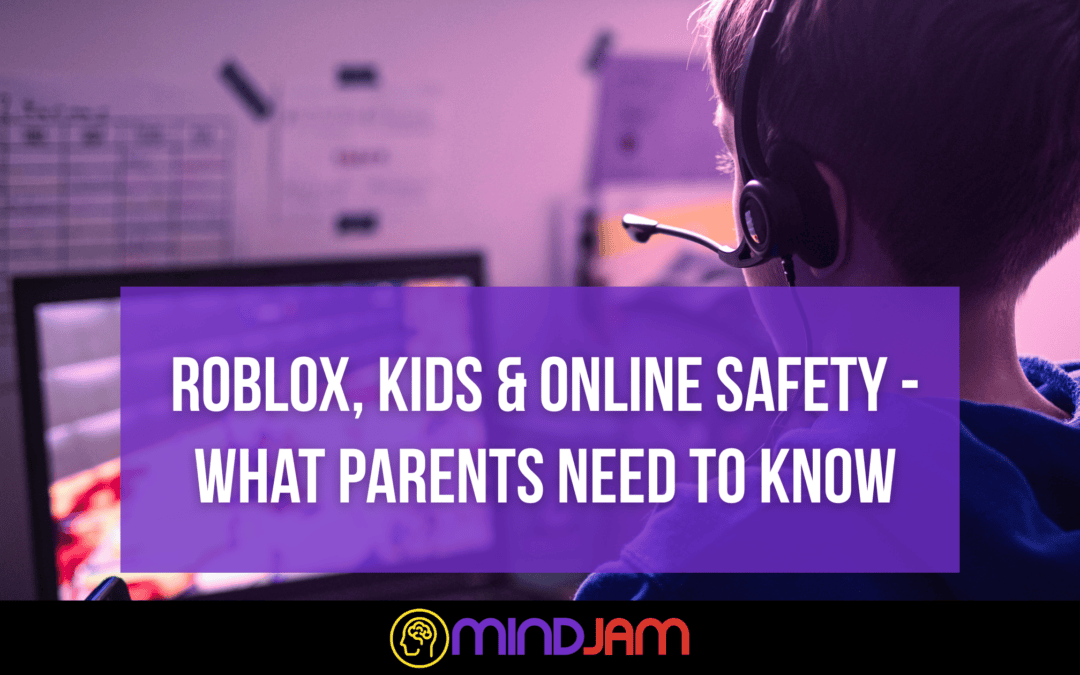
Roblox is a big part of many children’s lives. For some, it’s a creative playground. For others, it’s where they socialise, build worlds, roleplay, or relax after a demanding day.
For many neurodivergent young people, Roblox can offer something particularly valuable – familiar games, predictable interests, shared experiences and ways of connecting with other people that may feel easier than face-to-face interaction.
Like any large online platform, though, it comes with risks.
Roblox has made some significant changes to its safety systems during 2026. These include new age-based accounts, stronger parental controls, age checks for communication, more control over individual games and changes to who children can chat with.
This guide explains what those changes mean in practice, and what parents and carers can do to make Roblox work for their child.
Roblox now uses age-based accounts
One of the biggest changes is the introduction of different Roblox account types depending on a user’s age.
Roblox Kids – ages 5-8
These accounts have the strongest protections by default.
Children normally have access to games rated Minimal or Mild that have passed Roblox’s additional checks for younger users.
Chat is switched off by default.
If a child completes an age check, a linked parent can choose to enable some communication features.
Roblox Select – ages 9-15
Roblox Select gives older children and younger teenagers access to a wider range of games.
Games can be rated Minimal, Mild or Moderate, although parents can change some content settings and allow or block individual games.
Communication is introduced gradually depending on the child’s age, settings and region.
Roblox – ages 16+
From 16, users move to the standard Roblox experience.
They can access most Roblox content, although Restricted experiences remain limited to age-checked adults aged 18 and over.
Parents who have linked accounts can still see some information about a teenager’s Roblox use until they turn 18.
Age checks now matter much more
This is one of the biggest differences from older versions of Roblox.
Users now need to complete an age check before they can use Roblox’s communication features.
Roblox can check age using either:
- facial age estimation using the device camera
- government ID verification where available
Roblox says images and video used for facial age estimation are deleted after processing.
Without an age check, a young person can still use Roblox, but communication features such as chat will not be available.
The age check also helps determine which age group a user belongs to and therefore which communication features and games are available.
For parents, it is worth checking that the date of birth and age attached to the account are correct rather than assuming Roblox already has the right information.
Chat is now more age-based
Roblox now places much stronger limits on communication between different age groups.
Age-checked users can generally communicate with players in their own or similar age groups.
For younger children, parents have additional control over whether chat is available at all.
Children under 9 have chat switched off by default.
Parents can choose whether to enable some communication features, but this does not mean children are given unrestricted access to Roblox chat.
Roblox continues to filter text communication and monitor communication for serious safety concerns.
This is an improvement, but it should not be treated as a guarantee that every conversation will be appropriate.
Automated moderation can miss things, and children can still encounter bullying, manipulation, upsetting language or behaviour that falls outside what a moderation system understands.
Trusted Friends
Roblox has also introduced Trusted Friends.
These are intended for people a user already knows and trusts outside Roblox, rather than strangers they have met in a game.
Trusted Friends can allow communication between people in different age groups – for example, siblings, family members or a trusted adult.
For children under 13, adding a Trusted Friend generally requires parental approval.
There are also additional restrictions on teenagers becoming Trusted Friends with adults unless Roblox can establish a real-world connection through methods such as a live QR scan or contact matching.
For families, this can make it easier for children to play with people they genuinely know while reducing unnecessary contact with unknown adults.
It is still worth talking with your child about the difference between:
someone they play with regularly online
and
someone they actually know and trust.
Those two things are not automatically the same.
Set up a linked parent account
Roblox has moved away from its old Parent PIN system.
Parents can now create their own Roblox account with parent privileges and link it to their child’s account.
This is worth doing even if you have no intention of playing Roblox yourself.
Once linked, parents can manage settings from their own device rather than needing access to the child’s account every time something needs changing.
Depending on the child’s age, parental controls can include:
- communication settings
- content maturity
- allowing or blocking particular games
- screen-time controls
- spending controls
- visibility settings
- viewing friends
- information about the games a child is playing
Parents need to verify their own age when creating an account with parent privileges.
To link accounts, go to:
Settings → Parental Controls → Add parent
and follow the instructions.
Content maturity controls
Roblox now uses four main content maturity labels.
Minimal
May contain occasional mild violence, light unrealistic blood or mild fear.
Mild
May contain more frequent mild violence, heavier unrealistic blood, mild crude humour or repeated mild fear.
Moderate
May contain moderate violence, some realistic blood, moderate crude humour, moderate fear or references to gambling that cannot actually be played for money.
Restricted
May include stronger violence, strong language, alcohol, romantic themes and other mature content.
Restricted experiences are limited to age-checked users aged 18 and over.
The label is useful, but parents should not rely on it alone.
Roblox contains a huge number of user-created experiences, and two games with the same maturity rating can still feel very different.
For neurodivergent children in particular, something technically considered age-appropriate may still be overwhelming, frightening or difficult to understand.
Knowing the individual child remains more useful than simply following a number.
Parents can now allow or block individual games
This is a particularly useful improvement.
Parents with linked accounts can allow or block specific Roblox experiences rather than relying entirely on a broad content maturity setting.
That makes it possible to create something closer to an individualised Roblox experience.
For example, a child might be comfortable with one game that technically sits above their usual content setting but struggle with another game at the same rating.
Likewise, if a particular game repeatedly causes distress, spending pressure or difficult interactions, it can be blocked without removing Roblox altogether.
That flexibility can be particularly helpful for children whose developmental, emotional or sensory needs do not fit neatly into an age category.
Roblox now has built-in screen-time controls
Parents of younger children can set a daily Roblox screen-time limit through their linked parental account.
Once the limit is reached, Roblox becomes unavailable for the rest of that day.
Parents can also see information about how much time their child has spent on Roblox and which games they have been playing most.
This can be useful, but time alone rarely tells you whether gaming is healthy.
An hour spent happily building with a friend is very different from an hour spent distressed, repeatedly losing, or unable to disengage from a game.
Rather than focusing only on the clock, it can help to notice:
- how your child feels while playing
- how they respond when something goes wrong
- whether gaming is meeting a social, creative or regulatory need
- whether stopping consistently causes difficulty
- what else is happening around their gaming
A timer can support a boundary. It cannot explain the behaviour behind it.
Spending controls have improved
Roblox now allows linked parents to set monthly spending limits for children under 13 in most regions.
Parents can also choose to receive notifications when purchases are made.
This is a significant improvement over Roblox’s older parental control system.
There are some limitations.
Spending limits may not cover every console purchase, and redeeming Roblox gift cards may not count towards the limit. Device-level purchase controls are therefore still useful.
For children who find impulse control difficult, it can also help to make Robux something that is discussed before purchase rather than something that is continuously available.
The aim does not have to be preventing spending altogether – it can be helping a child understand what they are buying and make decisions without pressure.
Review friends and connections
For younger children, linked parents can see who their child is friends with and can block or report accounts where necessary.
This can be more useful than simply asking, “Who are you talking to?”
Many children genuinely do not know much about the people they encounter online.
Someone may simply be:
“the person I play Dress to Impress with”
or
“someone from that Minecraft-style Roblox game”.
Rather than immediately treating online friendships as dangerous, help your child understand what information changes an online interaction from ordinary play into something that needs adult attention.
Examples might include someone:
- repeatedly asking for personal information
- encouraging secrecy
- trying to move the conversation onto another app
- asking for photographs
- offering Robux, gifts or items in exchange for something
- becoming angry when boundaries are set
- claiming that adults “wouldn’t understand”
- creating pressure to stay online or respond immediately
The goal is not to make children frightened of everybody online.
It is to give them enough understanding to recognise when an interaction changes.
Private servers can still be very useful
Many Roblox games offer private servers.
These allow children to play with a smaller invited group rather than joining a busy public server.
For some neurodivergent young people, this is useful for reasons that have very little to do with online danger.
Public servers can be noisy, unpredictable and socially demanding.
A private server can reduce:
- unwanted interactions
- interruptions
- competitive pressure
- unpredictable behaviour from other players
- sensory and social overload
Not every Roblox game offers private servers, and some charge Robux for them, but they are worth considering for games a child plays regularly.
What this means for MindJam sessions
Roblox’s changes to age verification and communication can affect how mentors and mentees interact during a session.
Depending on the young person’s age, account type and communication settings, Roblox may prevent a mentor and mentee from using some forms of in-game communication.
This is intentional – Roblox is increasingly restricting communication between adults and children who are not recognised as existing trusted contacts.
In some circumstances, Roblox’s Trusted Friends system may provide an appropriate way for communication to work within the platform, subject to parental approval and MindJam’s own safeguarding arrangements.
Where Roblox communication is unavailable, mentors can adapt the session using the communication methods already agreed with the family.
A mentor may also not be able to see every conversation happening between players inside a game.
Parents should therefore continue to treat Roblox’s safety tools as one part of online safety rather than assuming a mentor or automated system can monitor everything that happens.
Safety tools are useful – relationships still matter
Roblox’s newer protections are a meaningful improvement.
Age-based accounts, communication restrictions, linked parental controls, individual game controls and spending limits give families considerably more control than they had previously.
But no combination of settings can remove every risk from an online social space.
One of the most useful things a parent can do is make it easy for their child to tell them when something strange, upsetting or uncomfortable happens.
That is particularly important for children who may:
- take people literally
- struggle to recognise manipulation
- become intensely attached to online friendships
- find conflict particularly distressing
- have difficulty explaining what happened after an upsetting interaction
- fear losing access to a favourite game if they tell an adult about a problem
If telling an adult always results in Roblox immediately being taken away, a child may understandably become less likely to tell them next time.
The aim is not perfect surveillance.
It is helping young people build the skills and confidence to navigate online spaces while knowing there is an adult they can involve when they need one.
A useful Roblox safety check for parents
Every so often, sit down together and check:
- Is the date of birth on the account correct?
- Is the account using the appropriate Roblox Kids or Roblox Select settings?
- Is a parent account linked?
- Are the content maturity settings still appropriate?
- Which games have been played recently?
- Are there any games you want to allow or block?
- Who is on the friends list?
- Are Trusted Friends people your child actually knows and trusts?
- Are the current chat settings appropriate?
- Would a spending limit be useful?
- Would a private server make any favourite games calmer or safer?
These conversations do not have to feel like an inspection.
They can simply become part of understanding the digital spaces that matter to your child.
How MindJam helps
At MindJam, gaming is often the environment in which relationships begin.
Our mentors spend time in the same digital spaces young people use themselves, which means conversations about online boundaries, uncomfortable interactions, spending, communication and safety can happen naturally as part of play.
We can also help parents understand unfamiliar platforms and settings without assuming that gaming itself is the problem.
Roblox will continue to change, so parental controls are worth reviewing occasionally rather than setting them once and forgetting about them.
For more gaming safety guides and resources, visit:
https://mindjam.org.uk/discover/gaming-safety/
Additional note regarding the upcoming under-16 social media ban in the UK:
Roblox is not currently expected to be covered by the UK’s upcoming under-16 social media ban. The government has said children will still be able to access games, while gaming platforms will instead face tighter restrictions on features such as communication with strangers and livestreaming. The final rules are expected to be confirmed before the end of 2026, ahead of implementation in spring 2027.